
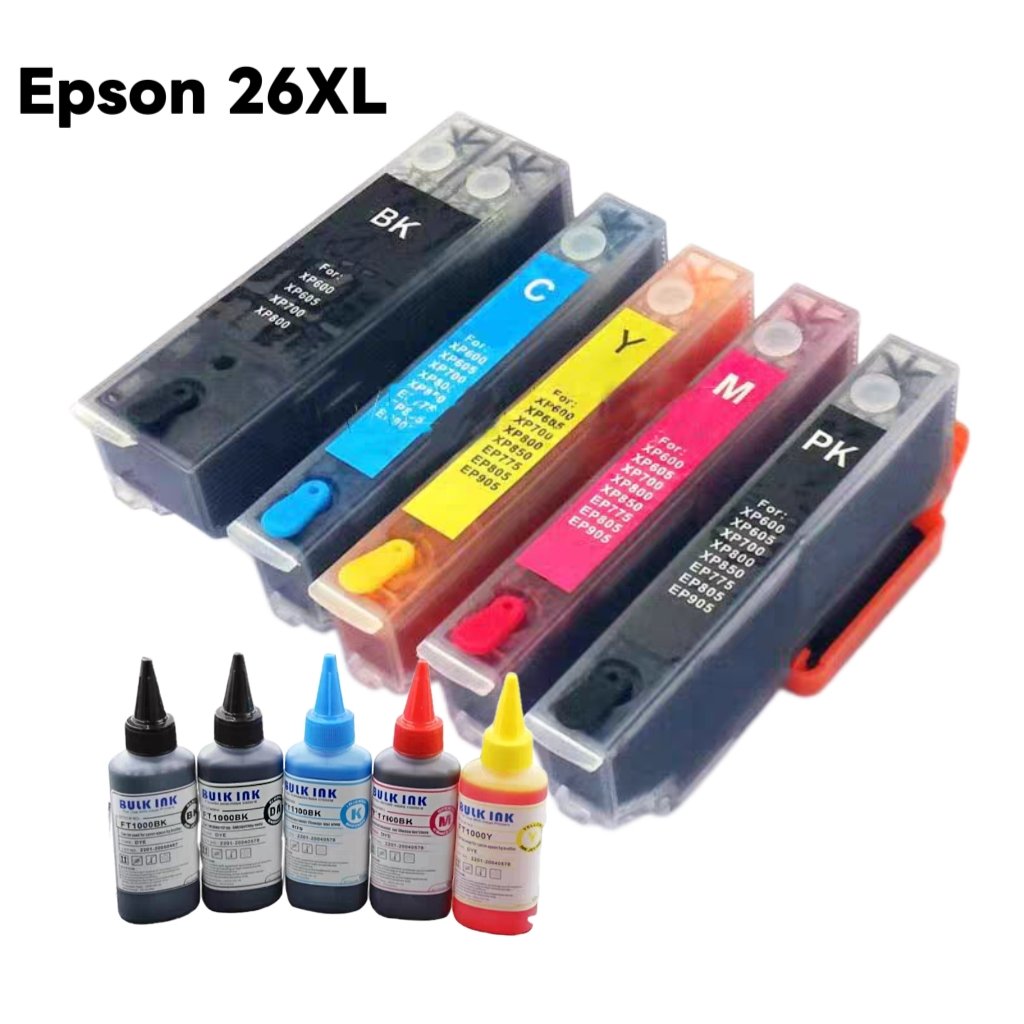
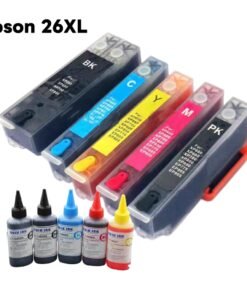
Epson 26XL multipack Ink Cartridge Set
Original price was: £46.00.£38.00Current price is: £38.00.
Reduce your printer’s ink cost by using our renewable ink cartridge.
Note: Please confirm that the original ink cartridge model is the same as you are going to order or touch with us to confirm before placing an order. For the refilling ink cartridge, the transparent cartridge is easier to operate as you can see the inside.
Note: Please confirm that the original ink cartridge model is the same as you are going to order or touch with us to confirm before placing an order. For the refilling ink cartridge, the transparent cartridge is easier to operate as you can see the inside.
Ink Cartridge Type: Refillable Ink Cartridge
Ink Cartridge Model:26XL
Compatible Printers:Epson Expression T2621, T2631, T2632, T2633, T2634, T2601, T2611, T2612, T2613, T2614
Universal for European printers (Please confirm that the original ink cartridge model is 26/26XL before using this cartridge)
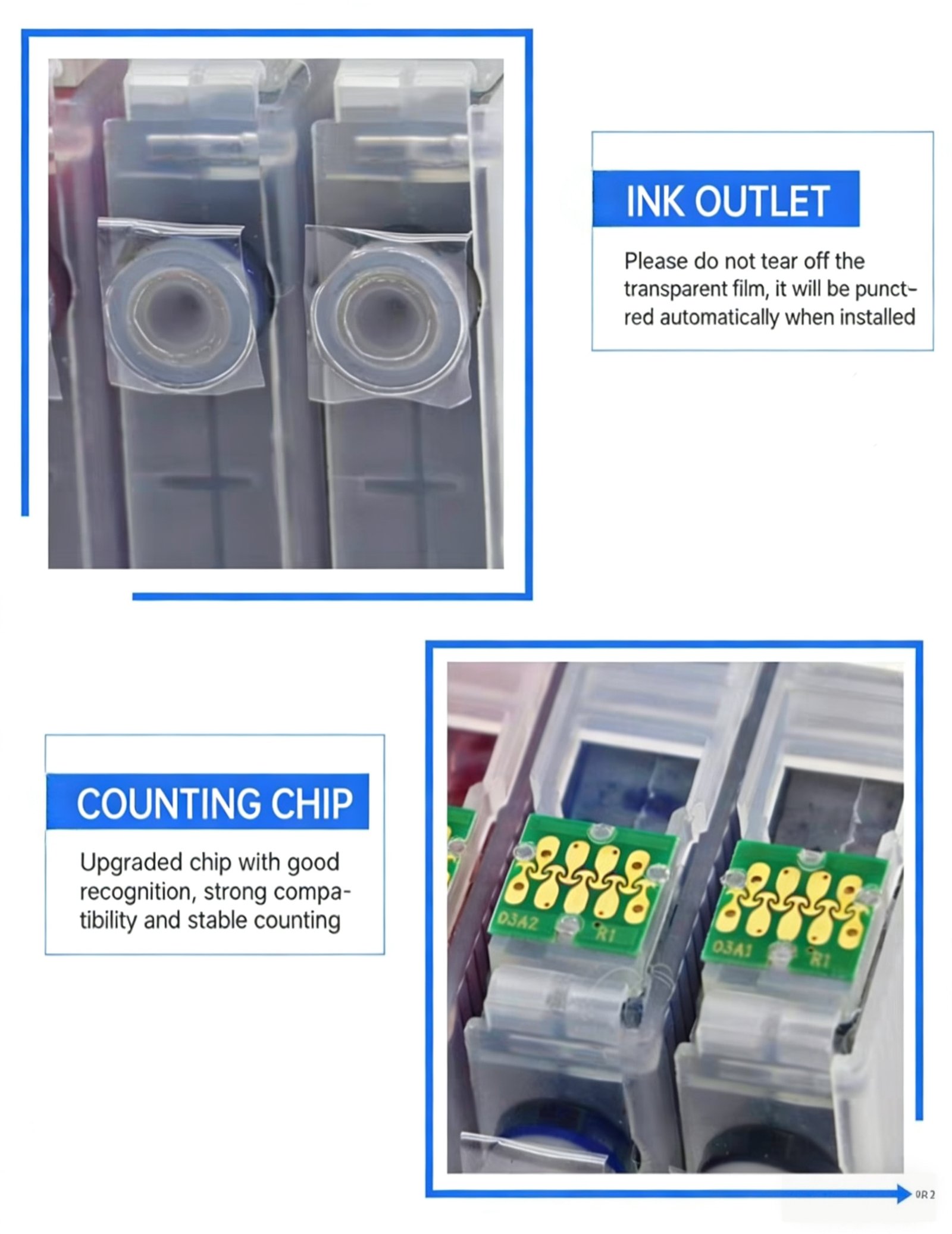
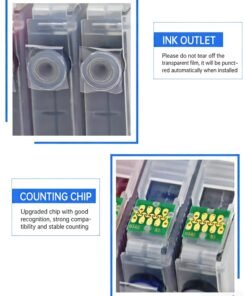
Chip:Permanent chip, 100% compatible operation
Why should you choose the refillable ink cartridges?
💰 Super Cost-Effective! (Save money and friendly to the environment)
One set of refillable ink cartridges + one set of ink delivers the same print volume as 6-8 sets of original manufacturer ink cartridges.
Convenient
Reusable for repeated refills, more convenient and stable than continuous ink supply systems. The biggest benefit is cost savings. While ensuring high-quality printing results, you can print freely and comfortably.
Things to note before purchasing
1. Since there are multiple options for the same link, please check whether the selected option is what you want before placing an order.
2. When purchasing ink cartridges, be sure to purchase according to the cartridge model rather than the machine model.
3. If the applicable country or region appears in the product details, please check it yourself. Please purchase with caution if it is not applicable to the country or region.
4. The ink cartridge itself comes with ink, and you don’t need to refill it after you receive the package, otherwise it will leak ink.
Advantages
- Brand-new dual-hole circulation vacuum-free refillable ink cartridge, made of food-grade PP material with one-time injection molding。Adopts constant pressure design internally, no ink leakage or dripping. Compatible with dye ink, pigment ink, edible ink and other types of ink for refilling. Equipped with auto-reset permanent chip, ensuring the ink cartridge can be reused for multiple cycles.
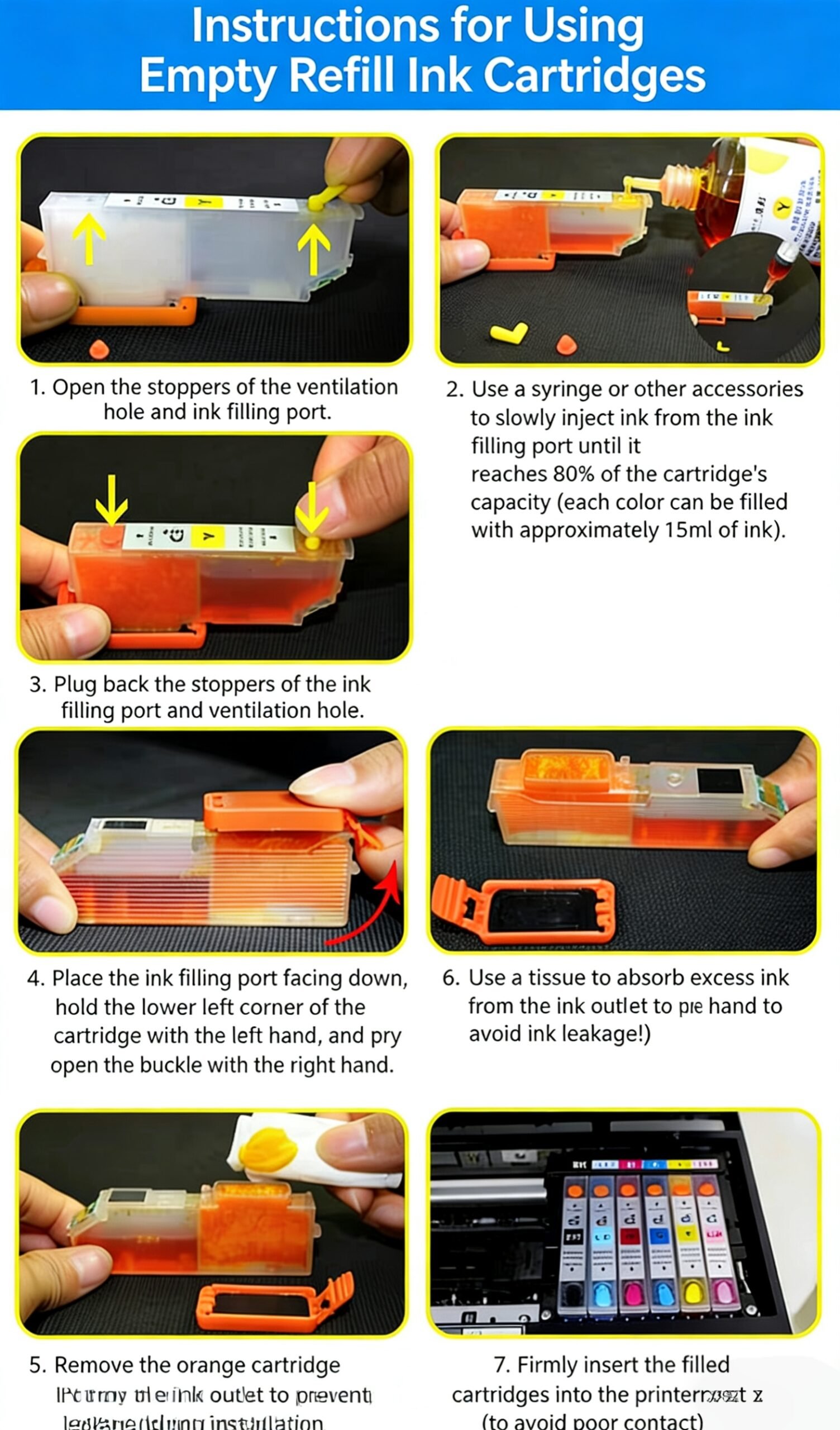
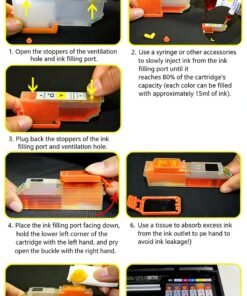
- Installation is extremely simple: just remove the air vent plug, refill the ink, and install it directly into the printer.
- The refillable ink cartridge is similar to a small continuous ink supply system, allowing for long-term use. However, it is much simpler and more convenient to operate than a standard continuous ink supply system, eliminating the hassle of tubing routing and jams, and the all-in-one machine can print with its cover closed.
Usage Instructions
- Before installing the refillable ink cartridge, you must first remove the air vent plug to ensure normal operation; otherwise, no ink will be dispensed. When printing in large volumes, check the ink level in the cartridge regularly. Avoid refilling only when the ink is completely exhausted, as this may damage the print head. Do not overfill the ink when refilling; 80%-90% capacity is sufficient.
- After refilling and installing the cartridge, wait 5 minutes before printing. If issues like broken lines occur, it is usually due to excessive residual air in the cartridge, which prevents ink from flowing to the nozzles in time. In this case, run 1-2 print head cleaning cycles on the printer.If the printer does not recognize the cartridge after refilling (when installed with the printer powered on), simply remove the cartridge, reset it, and reinstall it!
- Printer ink level display: After installing the cartridge, the printer will prompt that it is not an original cartridge. Simply click “Yes” to use it normally, and this will not affect print quality or printer performance.
Ink Cartridge Refill & Installation Guide
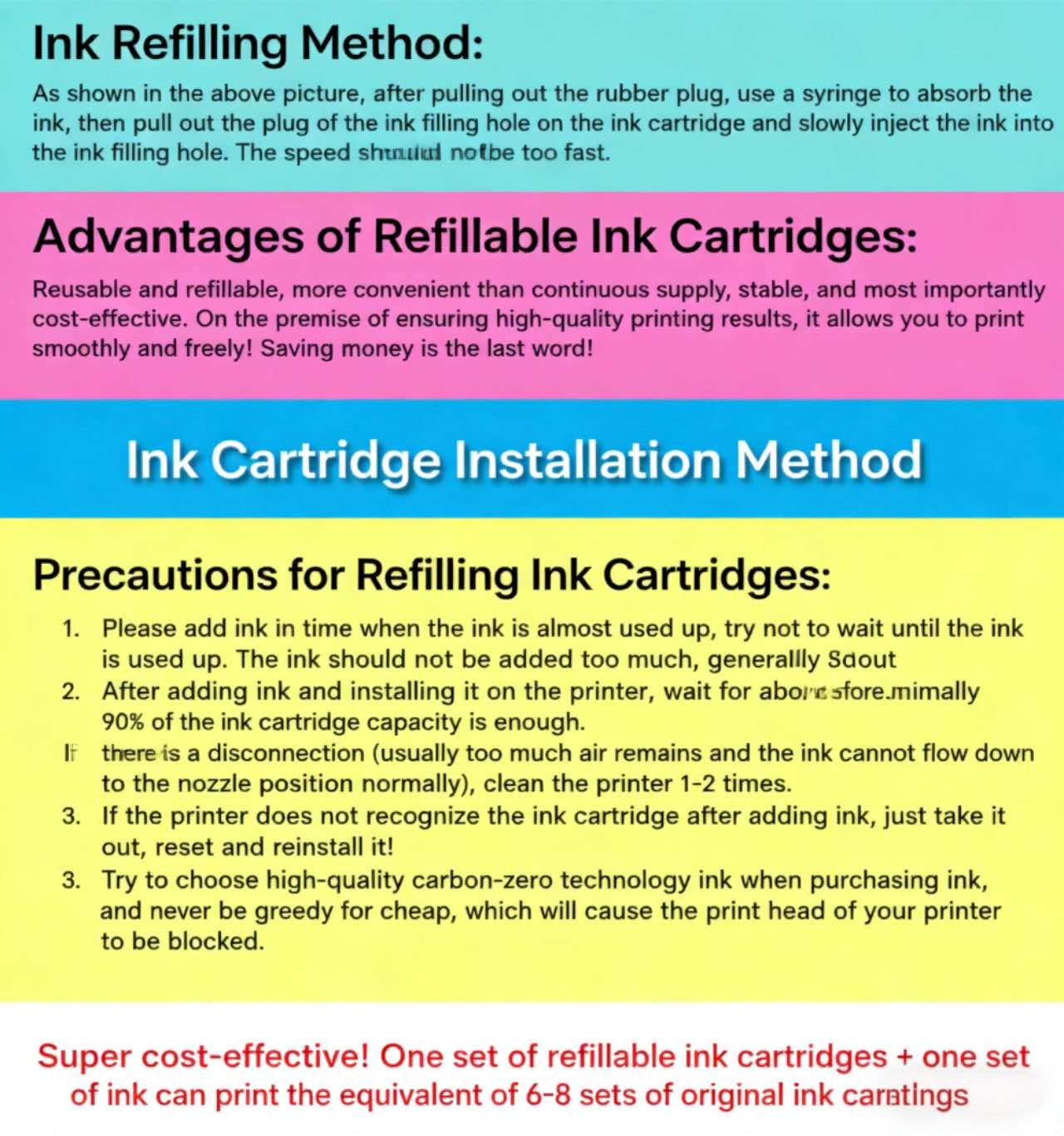
🖋️ Refill Method:
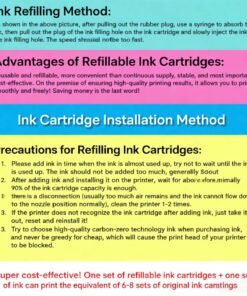
As shown in the figure above, pull off the rubber plug, use a syringe to draw ink, then remove the seal from the refill hole on the ink cartridge, and slowly inject ink into the refill hole. Do not inject too quickly.
📦 Ink Cartridge Installation Method
⚠️ Refillable Ink Cartridge Precautions:
- Add ink in a timely manner when the ink is nearly exhausted. Try not to wait until the ink is completely empty before refilling. Do not overfill the cartridge; fill to approximately 90% of the cartridge’s capacity is recommended.
- After refilling and installing the cartridge, let it sit for about 5 minutes before printing. If issues like line breaks occur (usually caused by trapped air preventing ink from flowing to the nozzle properly), run 1-2 printer cleaning cycles. If the printer does not recognize the cartridge after refilling, simply remove it, reset, and reinstall.
- When purchasing ink, choose high-quality zero-carbon technology ink. Never buy cheap, low-quality ink, as it can clog your printer’s print head.
| Color | multipack+ink |
|---|
Be the first to review “Epson 26XL multipack Ink Cartridge Set”
Related products
Reviews
There are no reviews yet.